Skip to content
For agencies & brands

Plan social like a team

Content planning, collaboration, approval, publishing and analytics — in one calm workspace.

OMA content calendar showing scheduled posts across brands

Where social teams bring ideas to life side by side. No scattered sheets or endless email threads. One place to plan, review, approve, publish, then measure what worked.

Connect the channels your brands already use

FacebookInstagramLinkedInTikTokX
See OMA in action

Everything your content team needs, in one view

A calendar with real post previews

  • See the week and month come together with visual post cards.
  • Schedule, reschedule and keep every brand’s plan visible.
  • Jump from calendar to composer without losing context.
Start free
OMA content calendar

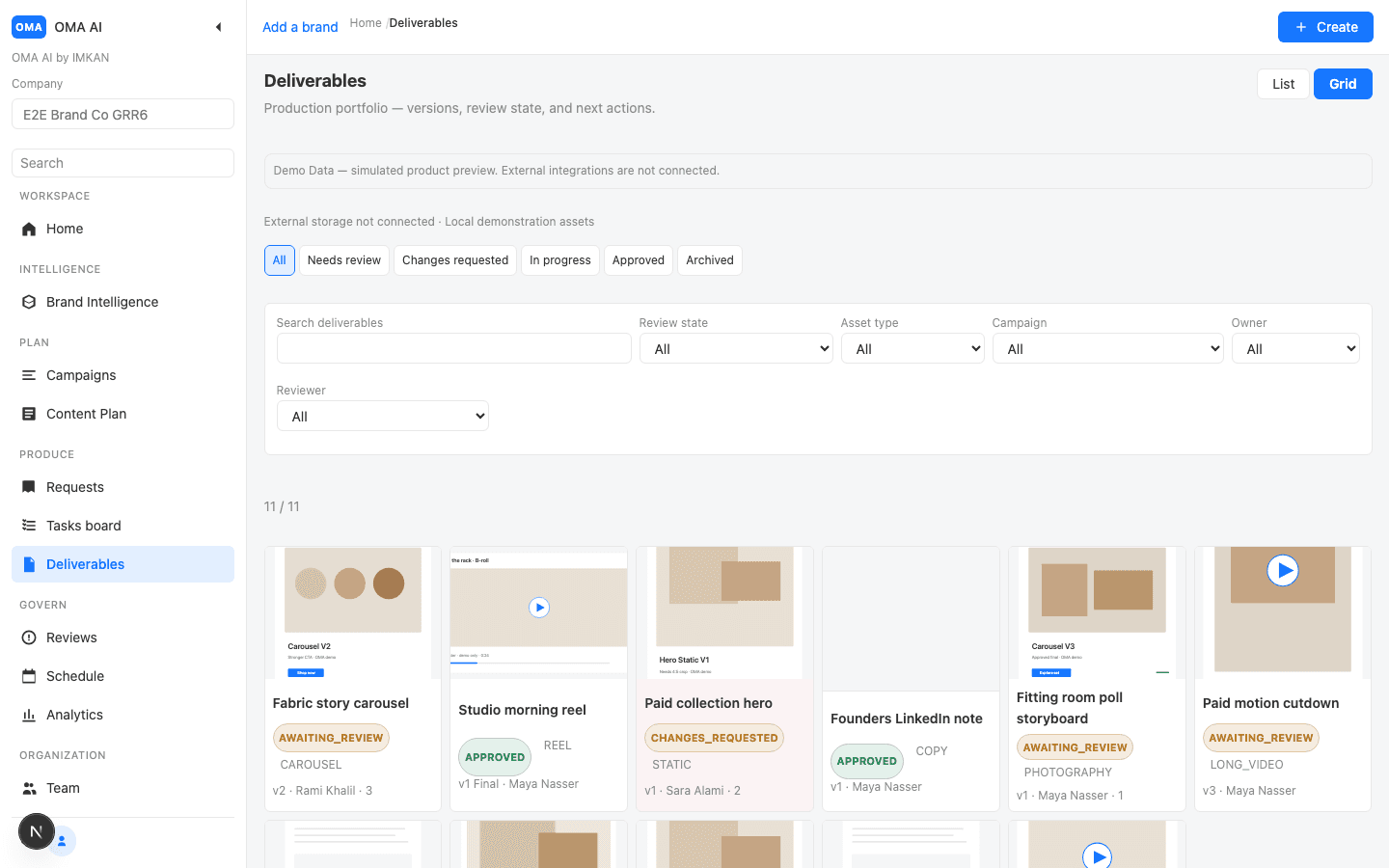
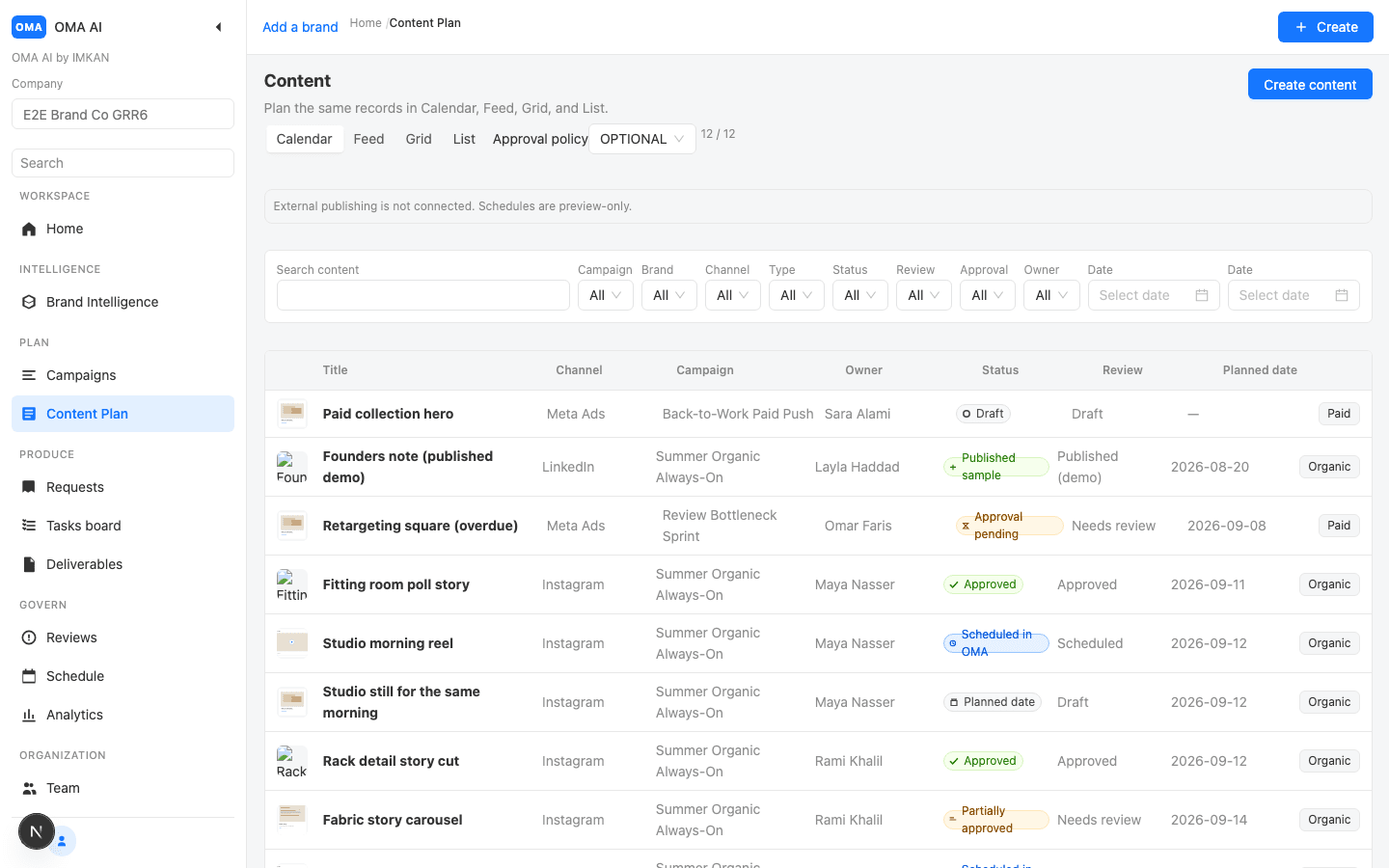
A content calendar built for multi-brand work

  • Plan weeks and months with post previews in view.
  • Filter by brand, campaign or status in one click.
  • Keep every deliverable tied to its scheduled post.
Start free
OMA content calendar

Collaboration beside the content

  • Comments and review notes stay attached to the deliverable.
  • Version history shows what changed and why.
  • Share the right draft with the right reviewers.
Start free
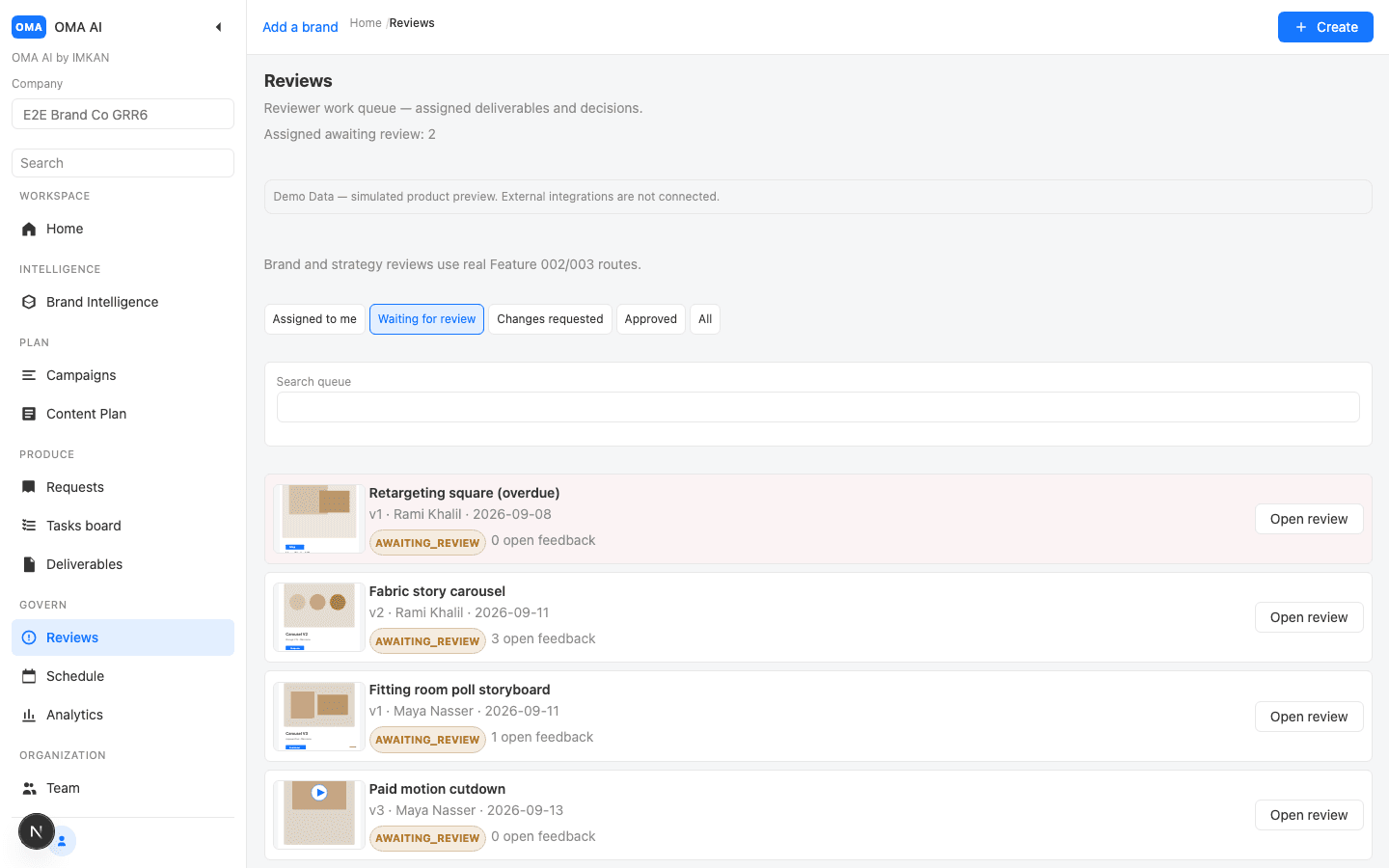
OMA deliverable review

Approvals you can customize

  • Move posts through draft, in review and approved states.
  • Team roles decide who can edit, approve or publish.
  • Clients get a clear path from feedback to sign-off.
Start free
OMA approvals queue

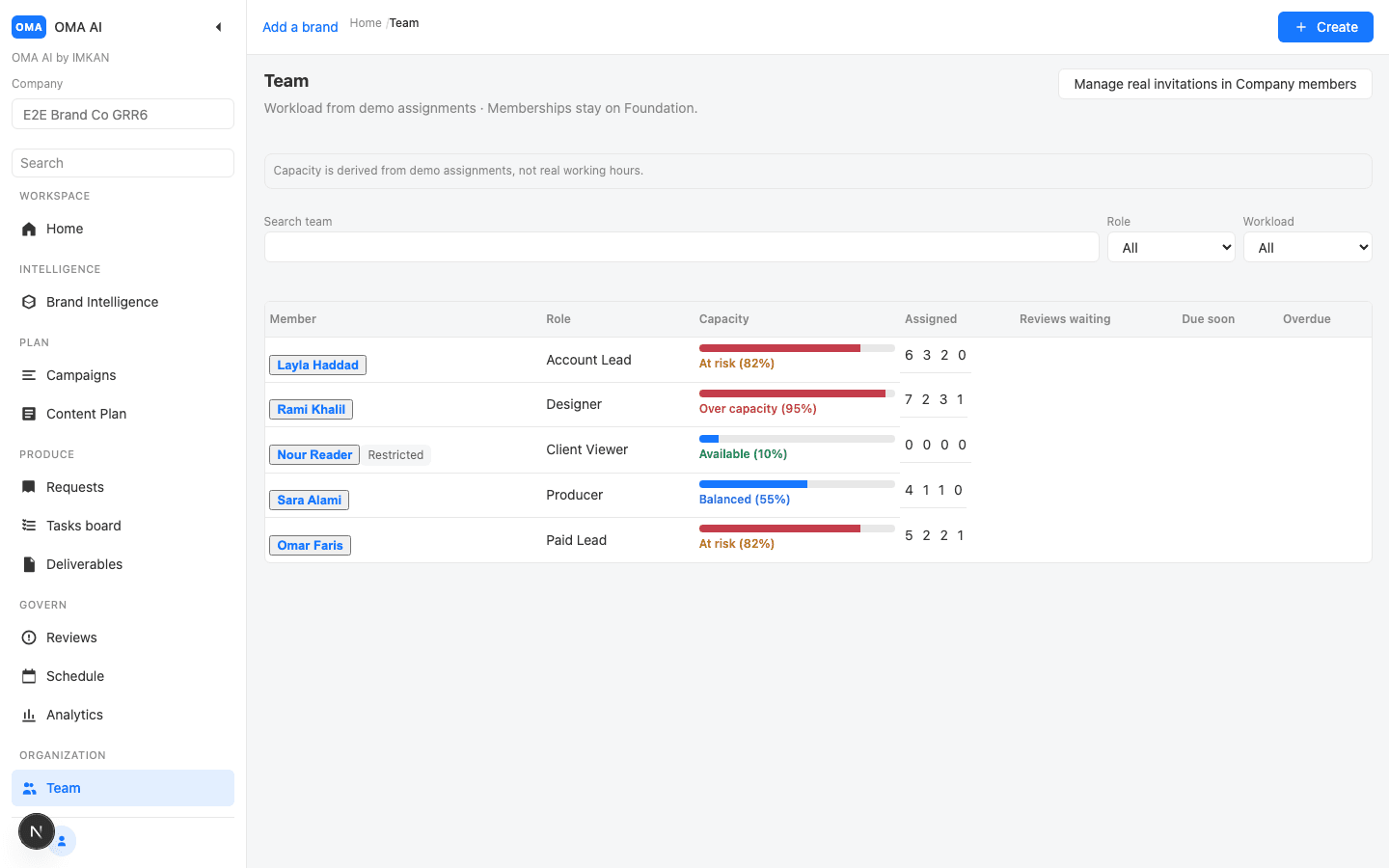
Keep brands, assets and teams organized

  • Dedicated brand workspaces for every client or product line.
  • WorkDrive stores media so creatives stop hunting for files.
  • Campaigns, tasks and deliverables stay linked end to end.
Start free
OMA team and brands

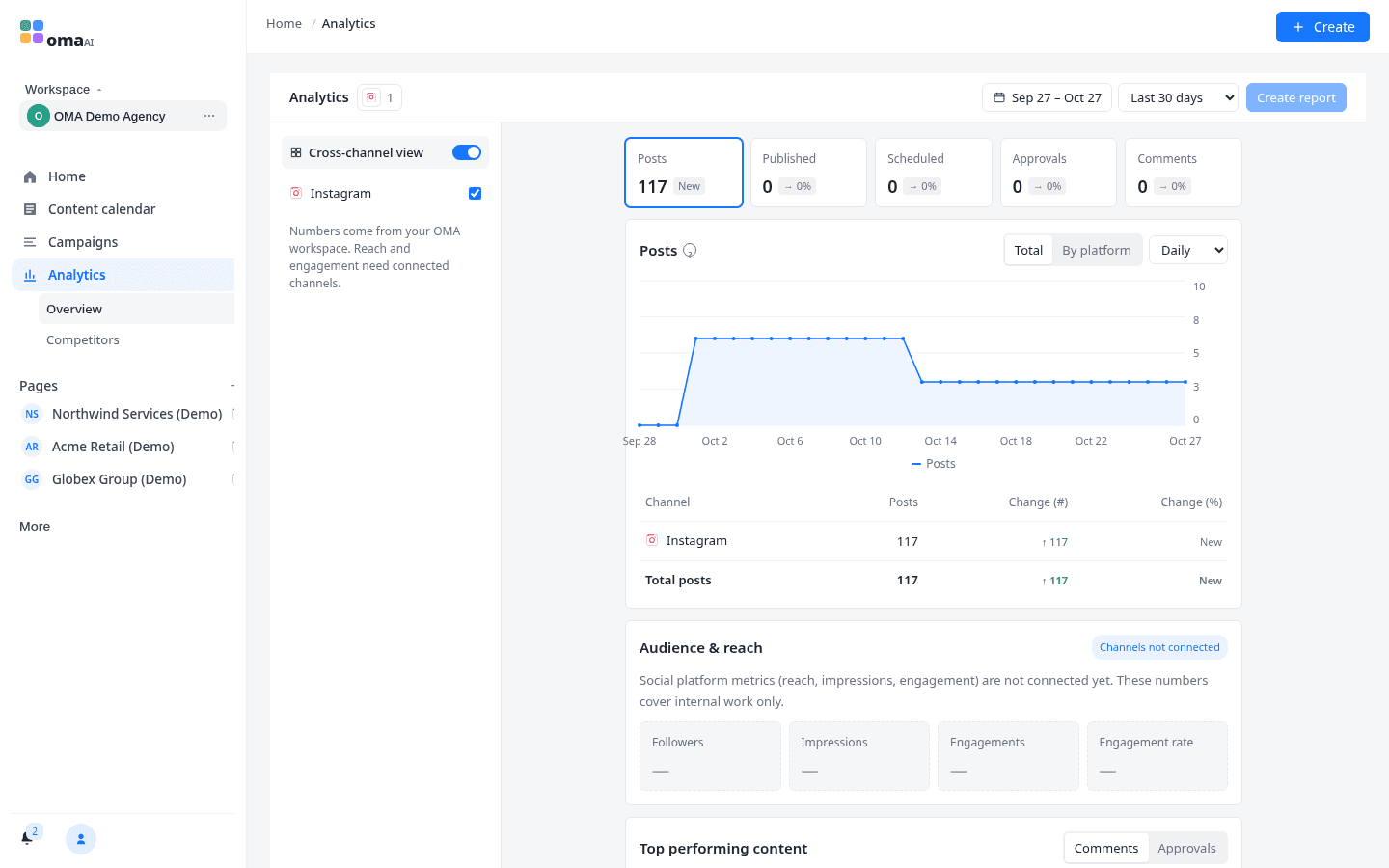
Publish, then measure what matters

  • Connect Facebook, Instagram, LinkedIn, TikTok and X.
  • Schedule with confidence after approval.
  • Reports that help the next brief — not vanity charts.
Start free
OMA analytics
How it works

From brief to published post in four clear steps

1

Set up brands & team

Create brand workspaces, invite teammates, and assign roles with the permissions they need.

2

Plan the calendar

Build campaigns, draft posts and place them on a shared calendar everyone can see.

3

Review & approve

Collect feedback on deliverables, track versions, and approve when the work is ready.

4

Publish & learn

Schedule to connected accounts, store assets in WorkDrive, and review analytics for the next round.

FAQ

Questions teams ask before they switch

Who is OMA for?

Agencies and brand teams that plan, produce, approve and publish social content across multiple brands or clients.

Which social platforms does OMA support?

You can connect Facebook, Instagram, LinkedIn, TikTok and X. More connectors may be added as they become available.

Can clients approve content without full access?

Yes. Invite clients or stakeholders with review-focused roles so they can comment and approve without changing your workspace setup.

Where are media files stored?

OMA integrates with WorkDrive so campaign assets live next to the posts and deliverables that use them.

Is there a free way to start?

Create an account to explore the workspace. For team rollout or a guided walkthrough, contact us — we do not publish fake pricing on this page.

Does OMA support Arabic?

Yes. The product is fully bilingual in English and Arabic, including right-to-left layout.

Ready for a content workspace your team will actually use?

Start free, invite your team, and put planning, approvals and publishing in one place.

OMA — Plan, collaborate, approve & publish social content